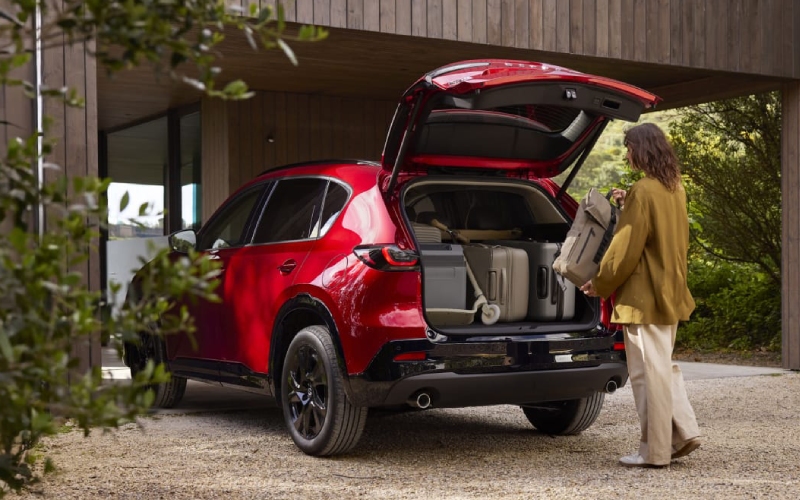
Morrie's Auto Group - How Does Google built-in Work in the 2026 Mazda CX-5 for Richfield, MN Drivers?
The newest generation of Mazda’s best-selling crossover brings a powerful upgrade inside the cabin with an available 15.6-inch touchscreen that runs Google built-in. For drivers who want navigation, media, voice assistance, and app access to feel as natural as their smartphone, the 2026 CX-5 makes it simple—no learning curve required. If you are weighing tech-forward SUVs around the Twin Cities, this guide explains how Google built-in works in the CX-5, what it can do for everyday driving in and around Richfield, MN, and how to set it up confidently on day one.
In short, Google built-in turns the available 15.6-inch screen into a familiar, customizable hub that integrates your digital life. You get Google Maps with fresh traffic and place information, a curated selection of in-vehicle compatible apps from Google Play, and, coming soon to cars with Google built-in, Google Gemini for natural voice assistance. It is the kind of setup that eases your commute, simplifies errands, and keeps you focused on the road—whether you are navigating Penn Avenue, meeting friends near Centennial Lakes, or heading out to the lakes and trails just beyond city streets.
What Google built-in Adds to Your Daily Drive
Google built-in in the 2026 CX-5 focuses on three pillars: navigation, apps, and voice assistance. Each one is designed to work the way you already do, drawing on your preferences and habits once you sign in with your Google Account in the vehicle. This puts your saved places, previous searches, and personalized recommendations within easy reach.
- Google Maps guidance tailored to you with saved places and ongoing updates
- Google Play access to compatible media and information apps selected for in-vehicle use
- Google Gemini coming soon for natural, conversational voice control to help reduce distractions
More than a larger screen, the CX-5’s setup is about responsiveness and clarity. Tap gestures feel quick and predictable, and a customizable home screen lets you keep the functions you use most front and center. That means you spend less time menu-diving and more time driving—an advantage that matters when Crosstown traffic changes quickly or you need to find a detour around construction.
Getting Started in Your 2026 CX-5
Setup is straightforward. Once you are in the vehicle, you will be prompted to connect to a network and sign in to your Google Account. From there, Google Maps can surface your saved addresses, recent searches, and favorite points of interest. You can also browse the Google Play catalog to add compatible audio, news, and other in-vehicle apps.
- Power on the CX-5 and open the on-screen setup prompts
- Connect to a network and sign in with your Google Account
- Personalize your home screen with your favorite tiles
- Enable voice features so you can keep hands on the wheel
- Test-drive your commute route to verify guidance and alerts
Once you are set up, your most-used functions are just a tap or a voice prompt away. Even better, the system is designed to evolve. When Google Gemini becomes available on cars with Google built-in, you will be able to ask more complex questions using natural language and follow up without repeating context—ideal for on-the-go adjustments in a busy day.
How It Helps Around Richfield, MN
A system like this shines when your routine is varied. For example, if you are juggling errands near 66th Street, picking up curbside orders on Lyndale, and meeting friends in Edina, Google Maps can quickly stitch together efficient route suggestions with live traffic updates. You can ask for coffee shops with outdoor seating, find parks with amenities you care about, or locate a new-to-you takeout spot on the way home—all while the available voice assistant keeps your hands on the wheel.
When your destination shifts mid-drive, you can add a stop, reroute, or look up parking availability through supported apps. If you commute to Hopkins or past Bloomington, personalized navigation helps you anticipate slowdowns and choose a smarter path that day. It is the kind of subtle help that adds up to a calmer, more predictable drive.
Privacy, Profiles, and Multiple Drivers
Households often share a vehicle, and the 2026 CX-5 makes it easy to maintain individual preferences. Each driver can sign in with their own Google Account profile, keeping saved places, recent searches, and app preferences separate. If you prefer to keep usage minimal, you can skip sign-in and still use navigation and media in a more general mode.
If you want to fine-tune how data is used, you can adjust settings in the vehicle and within your Google Account. The goal is to give you control over personalization while keeping the interface easy to operate for every driver in your household.
How It Compares to Smartphone Projection
Smartphone projection remains a familiar option, but Google built-in brings several benefits right to the CX-5’s available 15.6-inch display without relying on your phone as the primary interface. You get system-level integration, a larger surface area for maps and controls, and the ability to keep using your phone independently for calls or other tasks. If you prefer, you can still connect your device—this is about giving you flexibility, not taking choices away.
Frequently Asked Questions:
Do I need to sign in with a Google Account to use navigation?
No. You can use navigation without signing in, but signing in unlocks personalized features like saved places and previous searches, which can simplify your routine.
Will Google Gemini be available right away?
Google Gemini is coming soon to cars with Google built-in. Once available, it will enable more natural, conversational voice interactions for tasks like searching, setting destinations, and following up with additional requests.
Can multiple drivers keep their own map preferences and saved places?
Yes. Each driver can sign in with their own profile so saved places, recent searches, and app preferences remain individualized. This helps the CX-5 adapt to each driver’s habits seamlessly.
Is Google Play the same as the smartphone app store?
Google Play on the CX-5 offers a curated catalog of in-vehicle compatible apps, focusing on media, navigation-related tools, and information that make sense while driving. The goal is to keep it useful, streamlined, and safe to interact with.
If you would like a guided tour of Google built-in, our team can walk you through setup and best practices in a matter of minutes. At Morrie's Auto Group, serving Richfield, Buffalo, and Hopkins, we can also tailor your demo to match your daily drive—so you leave confident that the system will make life easier on the routes you use most often.
Ultimately, the appeal of the 2026 CX-5’s available 15.6-inch display with Google built-in is that it puts intuitive, connected capability in front of you without complicating the drive. It is quick, clear, and focused on what matters when you are behind the wheel. Whether tech is your top priority or simply a bonus on a beautifully engineered SUV, the CX-5’s approach is easy to appreciate from your first drive.